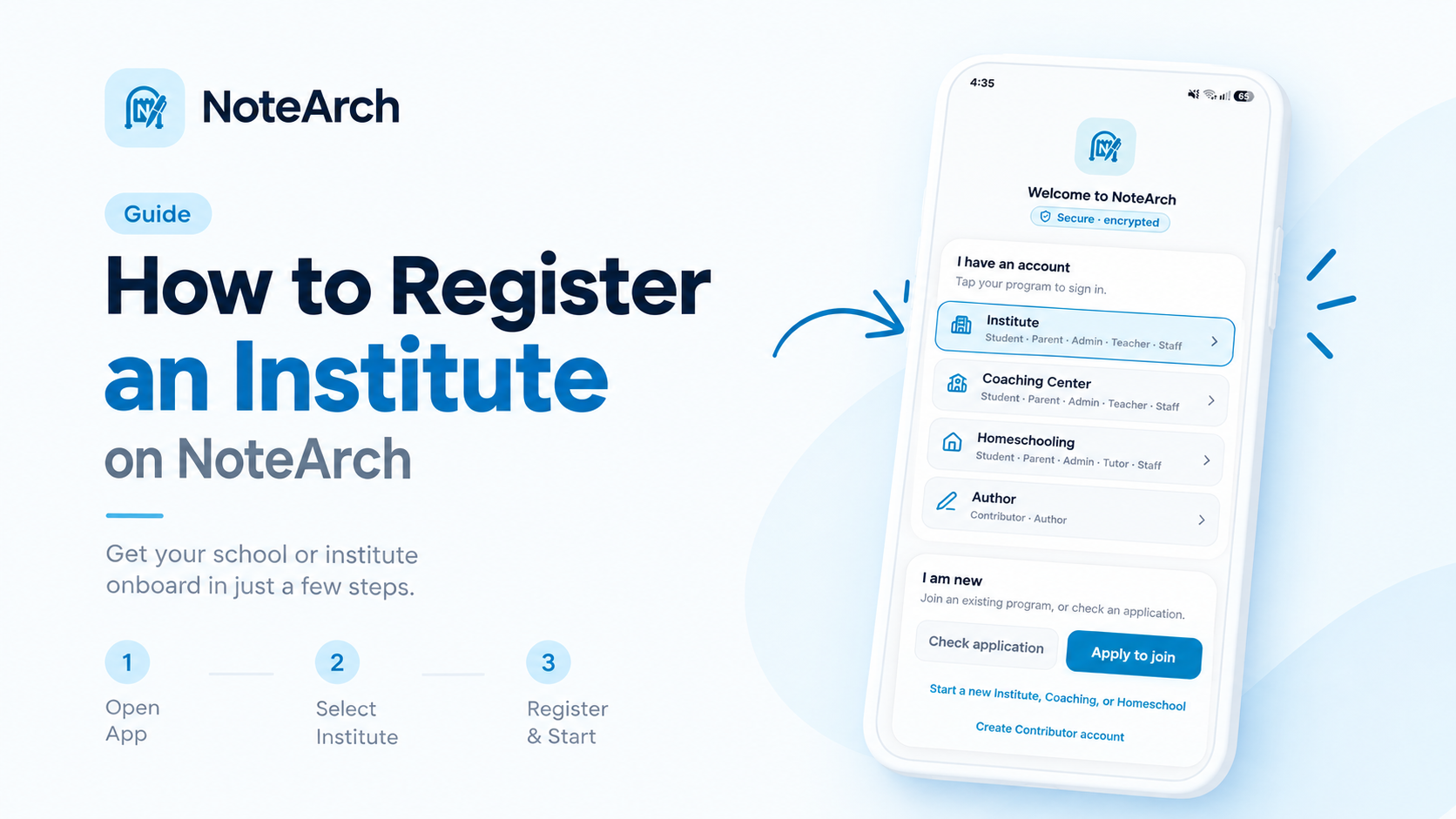
How to Install & Register Any Institute on NoteArch: 1-Click Complete Guide (Institute, Coaching, Homeschooling) | কীভাবে নোটআর্কে যেকোনো শিক্ষা প্রতিষ্ঠান রেজিস্টার করবেন
A comprehensive step-by-step walkthrough in English and বাংলা on how to install NoteArch and register any institute type (School, Coaching Center, or Homeschooling) in 1 click with zero technical friction.
1. Overview: The Modern NoteArch Onboarding Experience
Managing an educational institution should never be hindered by complex IT deployments or long waiting times. With NoteArch, creating a full-featured digital campus, complete with dedicated portals for Administrators, Teachers, Students, and Parents, takes less than 2 minutes.
NoteArch natively caters to three distinct institutional models:
- Institute: Formal K-12 schools, colleges, madrasahs, and universities requiring Class and Section structures.
- Coaching Center: Competitive test prep academies, tutoring batches, and skill institutions using Coaching Type and Batch structures.
- Homeschooling: Micro-schools, private tutors, and parent cooperatives operating on Class, Batch, and Tutor attribution.
2. Welcome Screen & 1-Click Launch
When you download and launch the NoteArch mobile application or open notearch.com on your computer, you are greeted by the clean, secure, and encrypted welcome screen shown below.
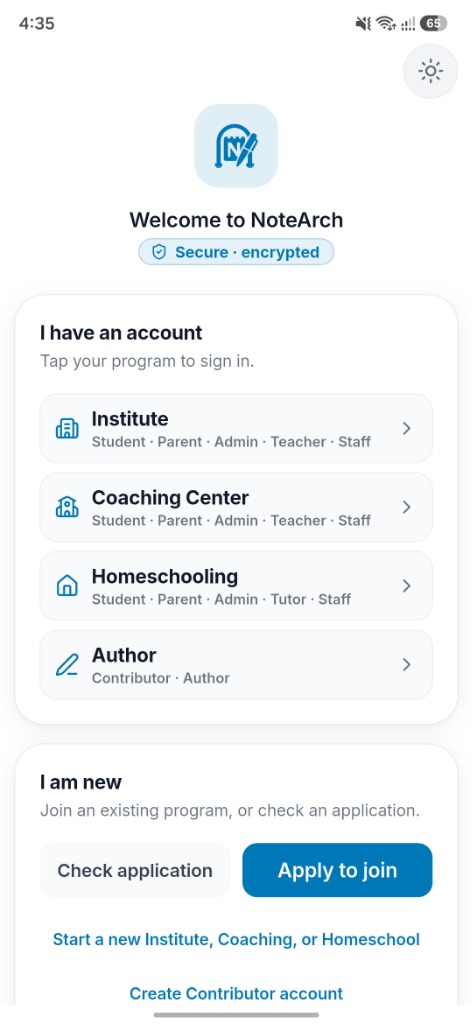
Figure 1: Welcome Screen (Light Mode)
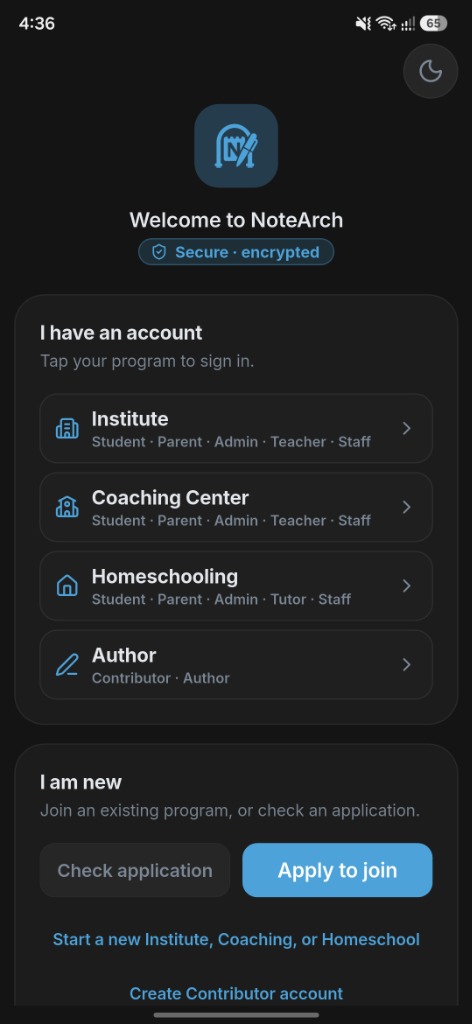
Figure 2: Welcome Screen (Dark Mode)
Step-by-Step Walkthrough:
-
Look at the bottom section labeled "I am new":
Notice the highlight link reading
Start a new Institute, Coaching, or Homeschool. - Tap the 1-Click trigger link: Instantly, the sleek "Start a new program" modal opens directly on your screen without unnecessary page redirects.
3. The Program Selection Modal
Upon clicking, the system presents you with the program selection dialog:
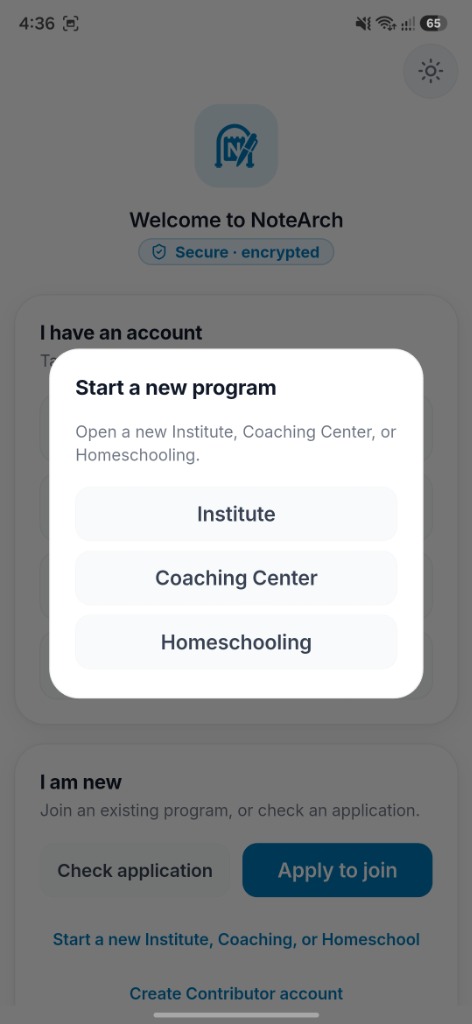
Figure 3: Program Selection Modal (Light Mode)
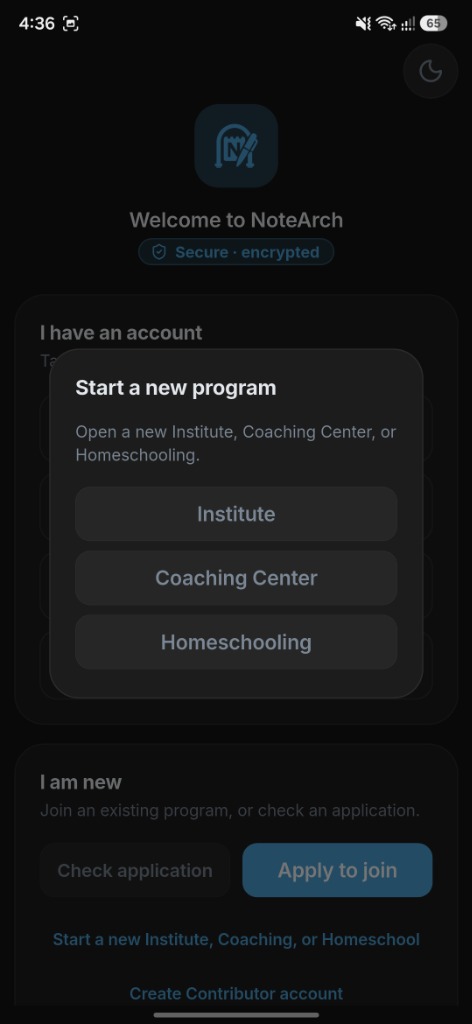
Figure 4: Program Selection Modal (Dark Mode)
4. Comparison Matrix: Institute vs Coaching Center vs Homeschooling
Choosing the right program configures the internal vocabulary and data relationships of your school ERP. Here is how they compare:
| Program Type | Academic Hierarchy | Examination Style | Best Suited For |
|---|---|---|---|
| Institute | Class & Section | Term Exams, GPAs, Marksheets | K-12 Schools, Colleges, Madrasahs |
| Coaching Center | Coaching Type & Batch | Model Tests, Ranking, MCQs | Admission, BCS, Medical & Academic Batches |
| Homeschooling | Class & Batch + Tutor | Continuous Milestones & Progress | Micro-schools, Tutors & Parents Co-ops |
5. Instant Activation & What You Receive
Upon submitting your registration form:
- Isolated Tenant Database: Complete data isolation ensuring your institution's records are never mixed with any other school.
- Super Admin Credentials: Immediate access to manage teachers, students, parents, fee structures, class timetables, and academic terms.
- Public School Website: A dedicated, SEO-optimized public website hosting your online admissions, notice board, and gallery.
- TeknoBoard & TeknoBook Access: Interactive classroom whiteboards and digital curriculum libraries.
💡 Pro-Tip for School Founders:
You can also visit our dedicated registration guide page at /how-to-register for interactive language toggling and deep-dive technical comparisons.
১. ভূমিকা: নোটআর্কের আধুনিক অনবোর্ডিং অভিজ্ঞতা
স্কুল, কলেজ, মাদ্রাসা, কোচিং সেন্টার কিংবা হোমস্কুলিং, যেকোনো শিক্ষা প্রতিষ্ঠানের একাডেমিক ও প্রশাসনিক কার্যক্রম ডিজিটালাইজ করার সবচেয়ে সহজ ও আধুনিক সমাধান হলো NoteArch। মাত্র ২ মিনিটে ১-ক্লিকে নিজের প্রতিষ্ঠানের ডিজিটাল প্ল্যাটফর্ম চালু করার সম্পূর্ণ নিয়ম নিচে আলোচনা করা হলো।
নোটআর্কে সমর্থিত ৩টি প্রধান একাডেমিক প্রোগ্রাম:
- Institute (ইনস্টিটিউট): স্কুল, কলেজ, মাদ্রাসা ও পলিটেকনিকের জন্য, যেখানে প্রথাগত শ্রেণি ও সেকশন ভিত্তিক ক্লাস পরিচালিত হয়।
- Coaching Center (কোচিং সেন্টার): বিশ্ববিদ্যালয় ভর্তি কোচিং, বিসিএস ও মেডিকেল একাডেমি কিংবা বিষয়ভিত্তিক কোচিং, যেখানে কোচিং টাইপ ও ব্যাচ কাঠামো থাকে।
- Homeschooling (হোমস্কুলিং): গৃহশিক্ষক, হোমস্কুলিং সার্কেল ও পারিবারিক শিক্ষা উদ্যোগের জন্য, যেখানে শ্রেণি, ব্যাচ ও গৃহশিক্ষক সমন্বিত থাকে।
২. ওয়েলকাম স্ক্রিন ও ১-ক্লিকে রেজিস্ট্রেশন শুরু
আপনার অ্যান্ড্রয়েড বা আইফোন থেকে NoteArch অ্যাপ ওপেন করলে অথবা কম্পিউটার ব্রাউজারে notearch.com ভিজিট করলে নিচের ছবির মতো সুরক্ষিত ও এনক্রিপ্টেড ওয়েলকাম ইন্টারফেস দেখতে পাবেন:
চিত্র ১: ওয়েলকাম স্ক্রিন (লাইট মোড)
চিত্র ২: ওয়েলকাম স্ক্রিন (ডার্ক মোড)
ধাপে ধাপে অনুসরণ করুন:
- স্ক্রিনের নিচের অংশে থাকা "I am new" সেকশনে নজর দিন।
- সেখানে স্পষ্ট অক্ষরে লেখা "Start a new Institute, Coaching, or Homeschool" বাটনে একটি ক্লিক বা ট্যাপ করুন।
- মুহূর্তের মধ্যেই একটি স্মার্ট পপআপ উইন্ডো চলে আসবে।
৩. প্রোগ্রাম নির্বাচন উইন্ডো (Start a new program)
বাটনে ট্যাপ করার সাথে সাথে নিচের উইন্ডোটি দেখতে পাবেন:
চিত্র ৩: ৩টি প্রোগ্রামের তালিকা (লাইট মোড)
চিত্র ৪: ৩টি প্রোগ্রামের তালিকা (ডার্ক মোড)
এখানে আপনার প্রতিষ্ঠানের সঠিক ধরন নির্বাচন করুন:
- Institute: সাধারণ স্কুল, কলেজ বা মাদ্রাসার জন্য নির্বাচন করুন।
- Coaching Center: কোচিং সেন্টার ও একাডেমি পরিচালনার জন্য বেছে নিন।
- Homeschooling: ব্যক্তিগত বা পারিবারিক টিউটরিং সেবাকে পেশাদার করতে নির্বাচন করুন।
৪. রেজিস্ট্রেশনের পর আপনি যা যা সুবিধা পাবেন
- সম্পূর্ণ আলাদা ডেটাবেস (Tenant Isolation): আপনার প্রতিষ্ঠানের শিক্ষার্থীদের পরীক্ষার ফলাফল, ফি ও ব্যক্তিগত তথ্যের সর্বোচ্চ নিরাপত্তা।
- ৪টি ডেডিকেটেড পোর্টাল: অধ্যক্ষ/অ্যাডমিন, শিক্ষক, শিক্ষার্থী এবং অভিভাবকদের জন্য আলাদা মোবাইল ও ওয়েব ড্যাশবোর্ড।
- ডিজিটাল মার্কশিট ও হাজিরা: স্বয়ংক্রিয় পরীক্ষার গ্রেডিং, উপস্থিতি রিপোর্ট ও এসএমএস নোটিফিকেশন।
- নিজস্ব স্কুল ওয়েবসাইট: অনুমোদনের সাথে সাথেই প্রতিষ্ঠানের নিজস্ব পাবলিক ওয়েবসাইট চালু হয়ে যায়।
- টেকনোবোর্ড ও টেকনোকবই: ডিজিটাল ক্লাসরুম ও পাঠ্যপুস্তকের সমন্বিত সুবিধা।
রেজিস্ট্রেশন শুরু করতে প্রস্তুত?
কোনো জটিল প্রক্রিয়া ছাড়াই আজই আপনার স্কুলের আধুনিকায়ন শুরু করুন। মাত্র ১ ক্লিকে ফর্ম পূরণ করে আপনার আইডি বুঝে নিন।